
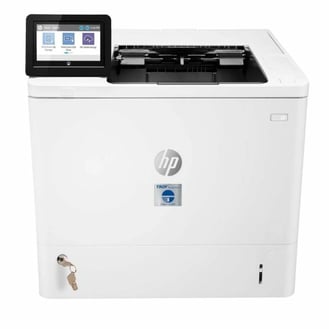
When installing the TROY MICR Printer Installer, if you should have any questions, please do not hesitate to reach out to our support team.
Compatible with Windows 10, Server 2016 and newer.
This MICR printer installer is a fully automated installer - it will install all necessary printer drivers, PCM support files and True Type Fonts needed for secure MICR printing.
Valid for all M610/M611/M612 TROY MICR models:
| TROY Printer Title: | TROY Part Numbers: |
|
M610edn MICR Printer M610edn MICR Printer (Locking Tray) |
01-610EDM-101 01-610EDM-111 |
|
M611edn MICR Secure Printer M611edn MICR Secure Printer (Locking Tray) M611dn MICR Secure Ex Printer |
01-611EDS-101 01-611EDS-111 01-06713-111 |
|
M612edn MICR Secure Printer M612edn MICR Secure Printer (Locking Tray) M612dn MICR Secure Ex Printer |
01-612EDS-101 01-612EDS-111 01-06723-111 |
Step 1: Download installation guide.
Follow this guide to easily install MICR Printer Installer.
Step 2: MICR Printer Installer.
Still need help?
Still need assistance with your TROY M610/M611/M612 MICR Printer? Reach out to technical support: technicalsupport@troygroup.com